Slack integration

Bring customer intelligence into Slack.

Ask Sonora about accounts, risks, product usage, meetings, support history, and selected Slack conversations from the workspace where the team is already deciding what to do next.

Sonora makes Slack useful for customer work because the answer is grounded, shareable, and tied back to the account record instead of buried in another thread.

  1. Step 1

    Answers in the thread

    Ask in a DM for private context or mention Sonora in a channel when the team needs the same answer.

  2. Step 2

    Receipts travel with it

    Responses pull from connected sources and point back to the account signals behind the recommendation.

  3. Step 3

    Slack becomes signal

    Selected customer conversations can enrich the account alongside CRM, calls, support, and product usage.

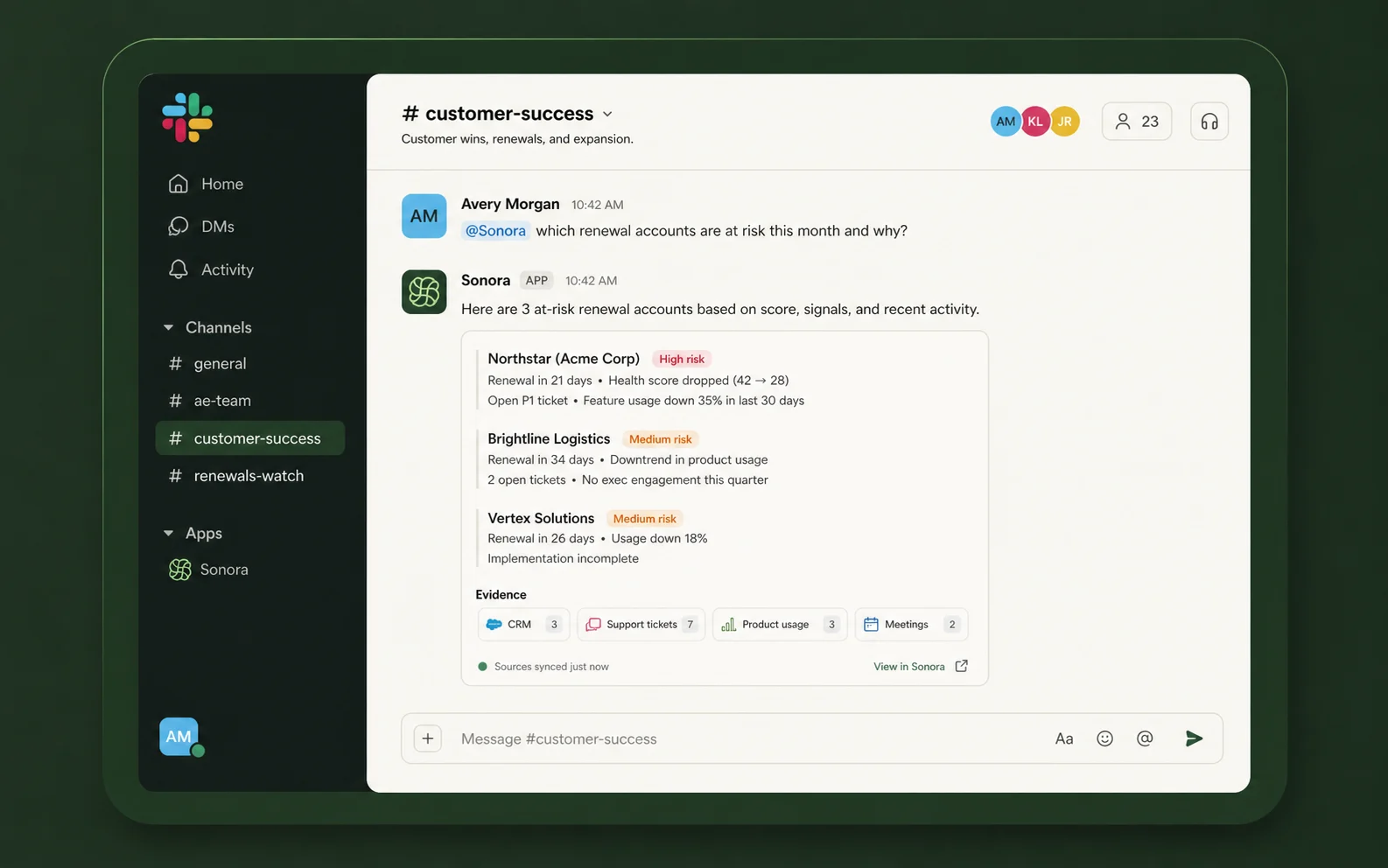
Sonora answering a customer-success question in Slack with grounded account context
Slack-native answers

Ask in the channel. Get the account context.

When a renewal, escalation, or expansion question comes up in Slack, Sonora can answer it without making the team jump into another dashboard. The response is written for the thread and grounded in the same customer context available in Sonora.

  • Private or shared. Use a DM for quick investigation or mention Sonora in a channel when everyone needs the answer.
  • Built from the full account. Usage, calls, tickets, CRM fields, meetings, and synced Slack context are read together.
  • One answer to act on. The team can discuss the recommendation where the decision is already happening.
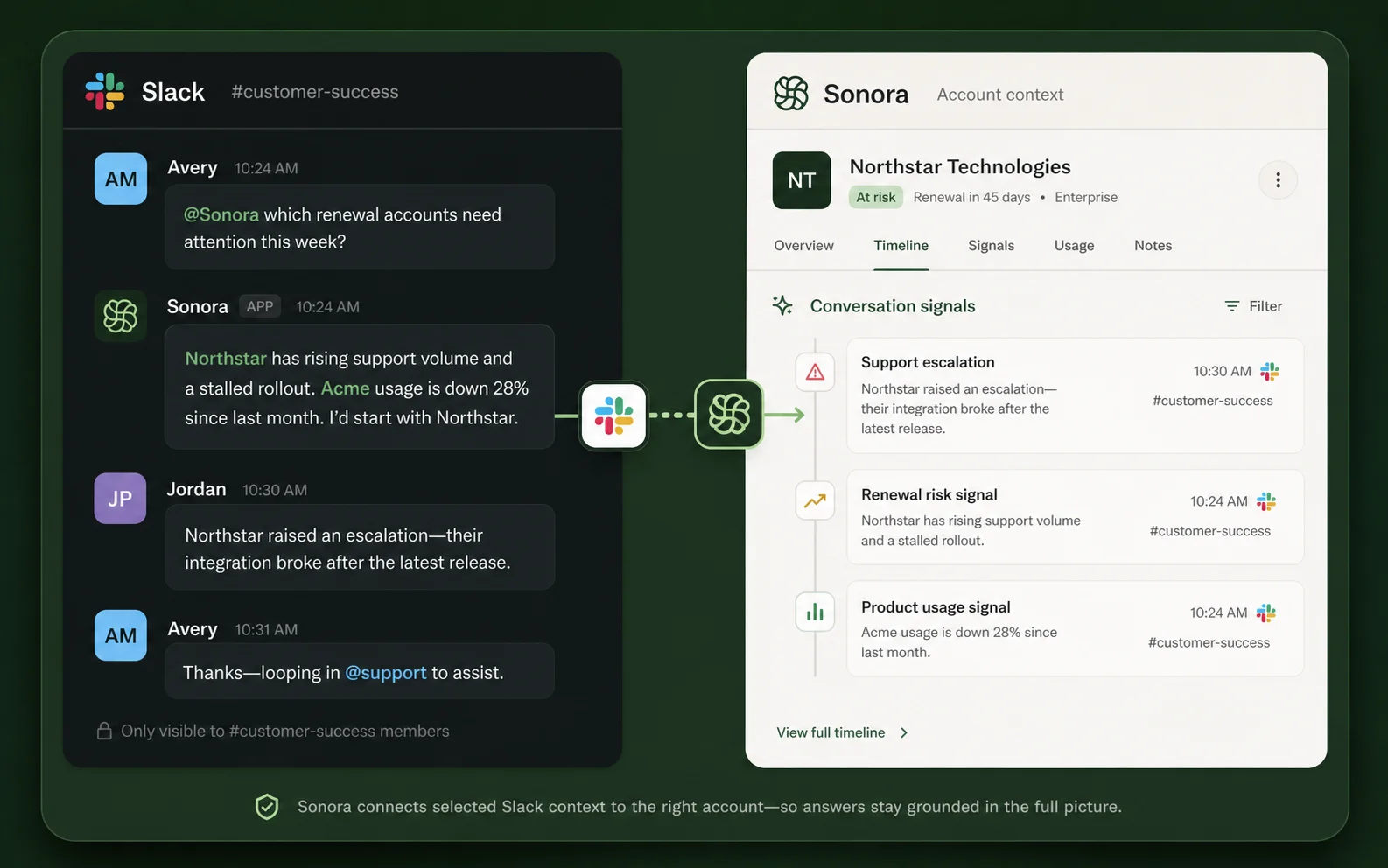
Slack conversation signals attached to a Sonora customer record
Customer channels to signals

Turn customer Slack conversations into account signals.

When customers share issues, feature requests, blockers, or buying signals in Slack, Sonora can connect those conversations to the right account so they show up in future answers and account reviews.

  • Issues and asks are captured. Support escalations, product requests, and implementation blockers become visible account context.
  • Customer context stays current. Slack discussions can inform renewal risk, expansion timing, and follow-up recommendations.
  • Admins control the source. Choose which customer channels Sonora can use instead of syncing every Slack conversation.

Questions about Slack

Slack, answered.

No black boxes — every answer unfolds to show exactly how it works.

Book a demo

Ask about account health, renewal risk, product usage, support history, recent meetings, open asks, and which accounts need attention. The answer uses the customer sources connected to Sonora.

No. Slack access is configured during setup, and admins decide what should be available for Sonora to answer from or sync into customer context.

Yes. Teams can ask privately in a DM or mention Sonora in a channel when the answer should be visible to the group.

From the systems connected to Sonora: CRM, calls, support tickets, meetings, product usage, email, and selected Slack conversations.

Authorized admins can install Slack from Sonora Settings after login. The setup guide covers workspace approval, channel sync, and troubleshooting: https://docs.sonora.cx/integrations/slack/

Sonora uses AI to generate Slack responses, which may be inaccurate or incomplete. Review outputs before relying on them for customer decisions. Slack's AI agent/app container features require a paid Slack plan. Other Sonora Slack features may still work outside the agent surface where Slack supports them. See the privacy policy for data handling details.

See it for yourself

Go live this week.

Live in days, not quarters. Book a 30-minute walkthrough and we'll show you Sonora working in your Slack, on your own data.