Every step has an owner:
tag a teammate on any checklist item

Overview
A checklist with five steps and no names is a checklist that stalls. Everyone assumes the welcome deck is someone else’s, the kickoff call gets booked twice, and the IT rollout plan never gets sent. Checklist items in Sonora’s Actions now carry an owner, so each step says who is on the hook.
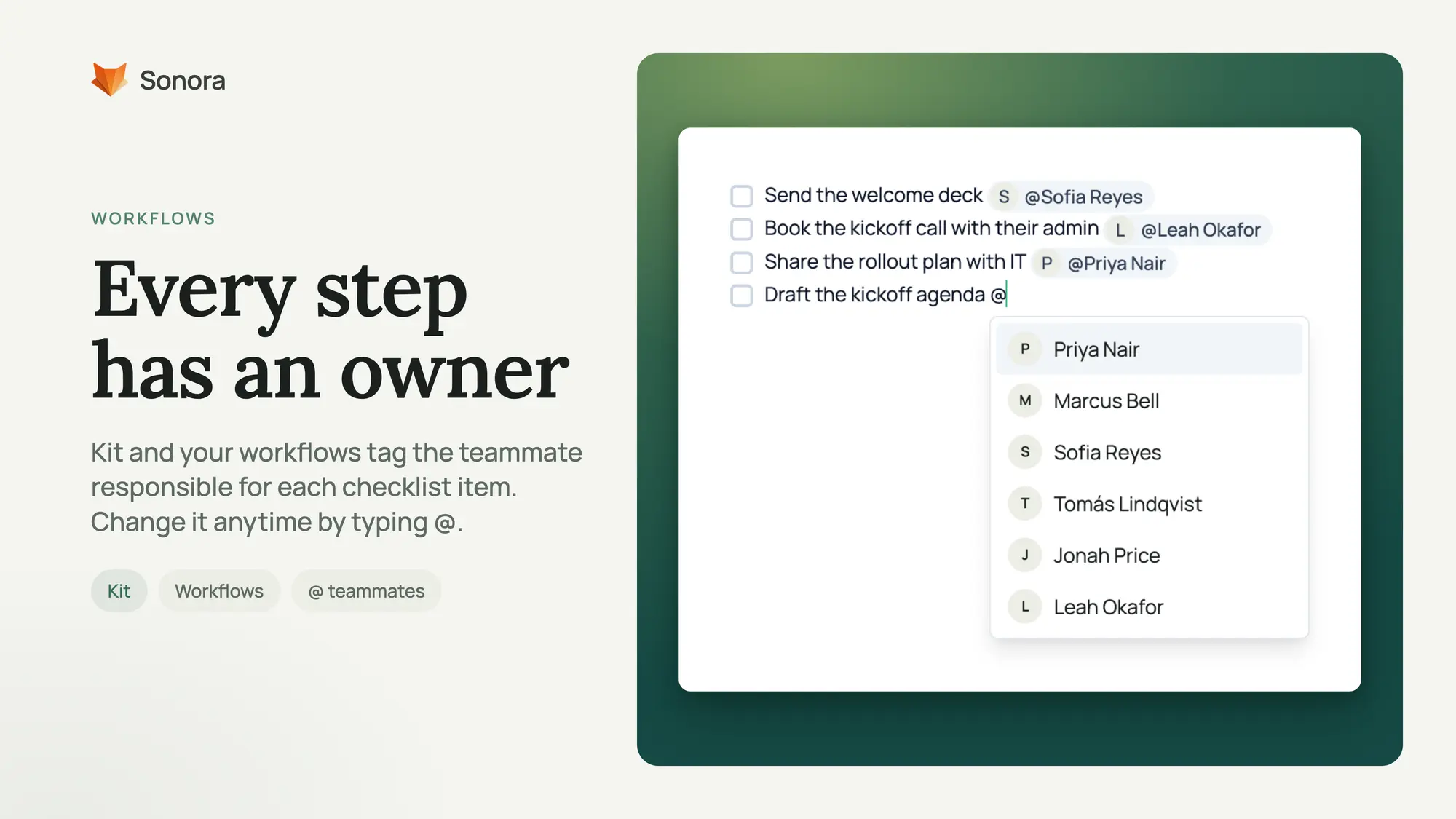
Kit tags the owner for you
When Kit or a workflow writes a task with a checklist, it can end each item with the teammate who owns it, shown as an @ pill right on the line.
- Workflows pick from the people around the account: the task’s assignee, the customer’s owner, then the rest of its account team.
- Ask Kit can tag any member of your workspace when you ask it to create an Action, for example “task Priya with the rollout plan.”
- Kit only tags someone when the context makes clear they own the item. When it isn’t sure, it leaves the item untagged instead of guessing, and it never invents a name.
Change it by typing @
Every owner is editable. Click into an item, type @, and pick a teammate from the list. Start typing a name to narrow it down. Swap the owner, add one where Kit left it blank, or clear it.
The first teammate tagged on an item is that item’s owner, and Sonora keeps the two in step. Change the tag and the item’s owner changes with it.
Get started
Open any task in Actions with a checklist and type @ at the end of an item. Workflows that create tasks write their checklists with owners tagged where Kit can tell who is responsible.