Connect Salesforce to your
customer knowledge graph

Overview
Salesforce is where most post-sales teams keep the source of truth on every account, and it’s the most common starting point for a Sonora deployment. Today you can connect it in a single click and bring your entire customer record into Sonora.
One-click authentication
No External Client App to create, no Consumer Key or Secret to manage. Authorize Sonora with a single OAuth click from settings, pick the org, and the first import kicks off automatically. After the initial backfill, syncs are incremental: new and changed records are picked up continuously.
What syncs
Connecting Salesforce pulls in the objects your team already works in and ties them to the right customer automatically:
- Accounts: each account becomes a Sonora customer, with its Salesforce ID mapped to the customer’s external ID
- Contacts: contact records flow into the People Graph
- Opportunities: stage, amount, close date, and owner
- Support cases: subject, status, priority, and case comments, attached to the customer’s engagement timeline
- Tasks and activities: used as touchpoint and engagement signals
- Custom fields on Account and Contact: mapped during setup and queryable in chat and Canvas
Everything lands on a single, unified customer record, giving chat, Canvas, and playbooks the structural backbone they need to talk about your customers in your team’s terms.
True two-way sync
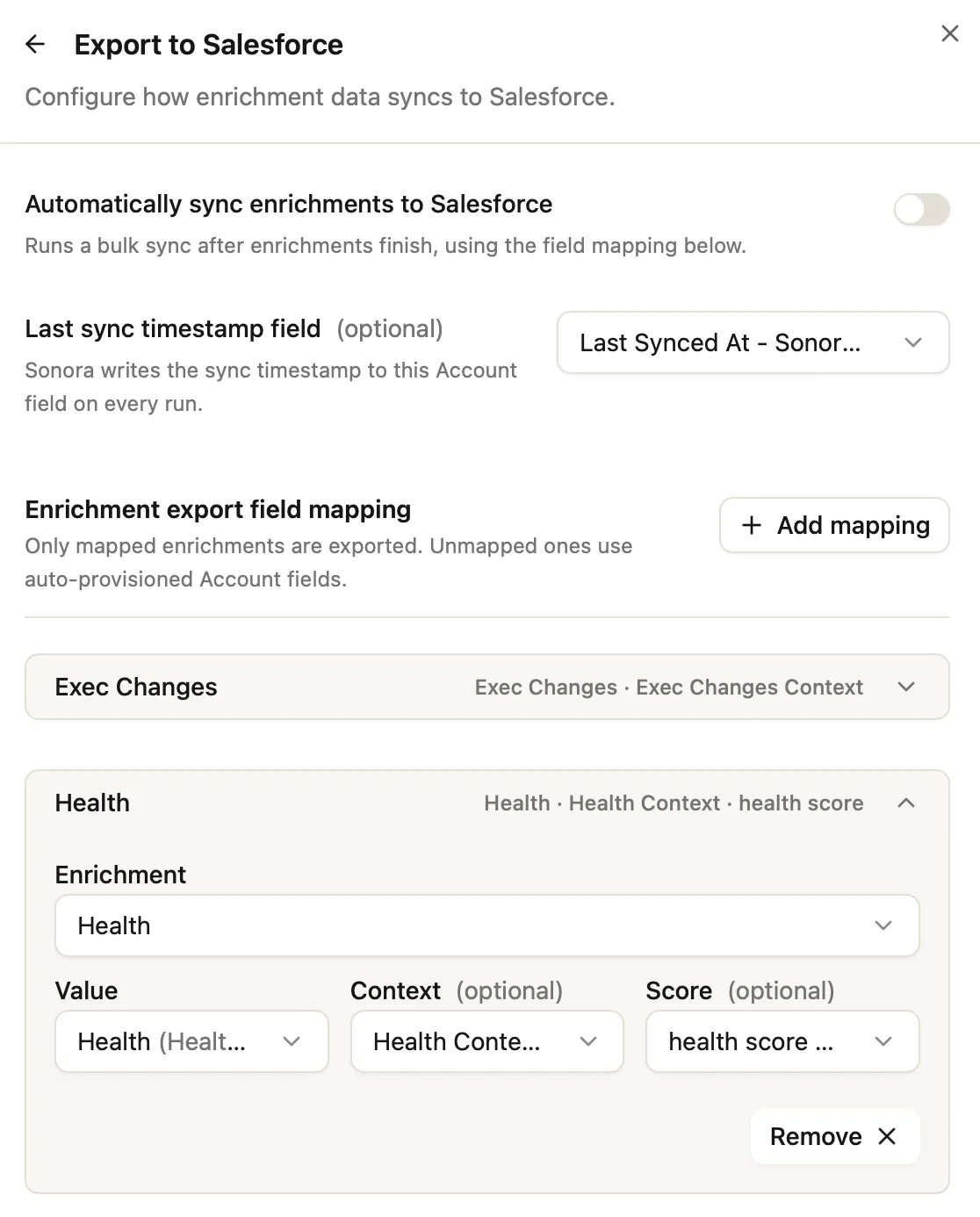
This isn’t a one-way pipe. Sonora reads from Salesforce and writes back to it, so the intelligence Sonora generates lands exactly where your team already lives. Turn on write-back and Sonora pushes health scores, eCSAT, and your chosen enrichments straight onto the Account fields you pick.
The payoff: your AEs, CSMs, and execs see Sonora’s signal inside Salesforce reports, dashboards, and workflows they check every day, with no new tab to open and nothing to copy over. Sonora stays read-only until you decide otherwise, and you control exactly which fields it’s allowed to touch.
Custom field mapping
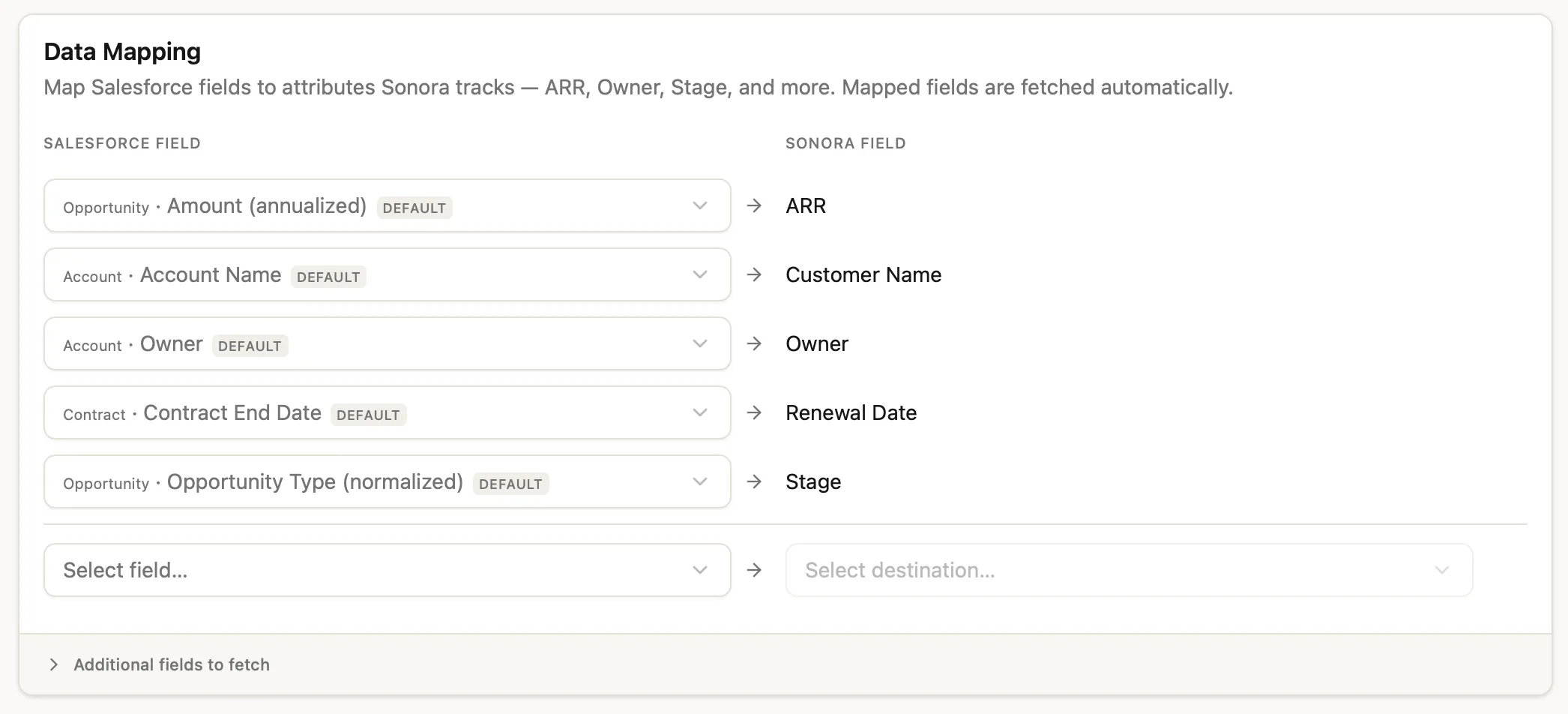
Map any Salesforce field to the attributes Sonora tracks: ARR, Owner, Stage, Renewal Date, and more. Sensible defaults are populated for you, and mapped fields are fetched on every sync, so you don’t have to model anything up front. Need a field Sonora doesn’t track natively? Add it to the fetch list and it’s available in chat and Canvas.
Rules and filters
Tune exactly what comes in:
- Account inclusion filters: restrict imports to a subset, like only customer accounts or specific record types
- Active contract criteria: tell Sonora how you mark a customer as currently paying, so renewal-related actions fire on the right accounts
Mappings and filters can be edited any time; changes apply to future syncs and to re-running a backfill.
Get started
Head to Settings → Integrations → Salesforce and authorize your org. For the full setup walkthrough, field reference, and write-back options, see the Salesforce integration docs.